
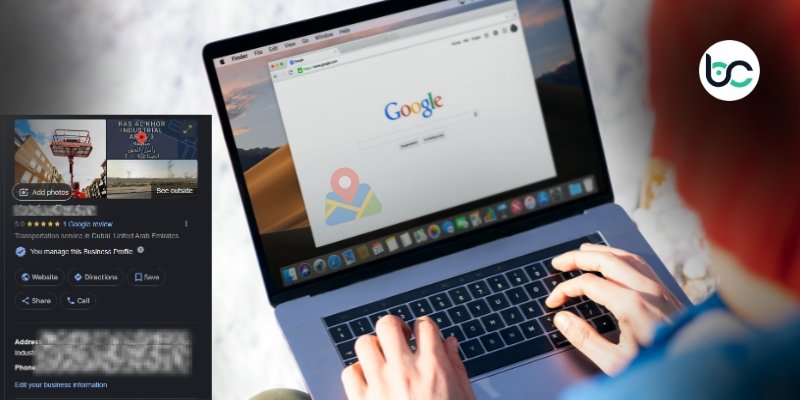
Taking the plunge to start your own business is an accomplishment in itself. What comes next is creating an online presence. In 2026, the digital world is even more crowded than it has ever been. If customers can’t find you on search engines, it’s as if you don’t exist. In this guide, we’ll answer the most asked query, how to register my business on Google, and understand the digital landscape and competition in the USA.
Why Registering Your Business on Google is Important
You may think setting up social media pages for your business is sufficient, but it’s not. When potential customers have an immediate need, they go to search engines with queries like “coffee near me” or “Dallas plumbers” because they don’t know you’re an option if you’re not on the map.
If you register your business on Google, you’ll get a Business Profile, which is a free tool to let you customize how your business info is shown on Google’s branded services, including Maps and Search. They can trust that you’re a legitimate business and you’re open for business. The new currency in 2026 is trust, and you’ve just earned some.
Registering your business on Google is often the first step in building a solid business growth plan for long-term visibility and customer trust.
Step 1: Sign up for a Google Account
You will need a Google account to begin. Most users have one already for Google Mail. You can use any account. However, it is recommended to create a new one. This will allow you to separate your business emails from your personal emails. This helps maintain an organized inbox and also portrays an organized business.
Go to the sign-up page for Google accounts. Select ‘create account.’ Choose ‘to manage my business.’ Complete the instructions to create your account. This account will be the master account for your business, so be sure to keep the password protected.
Step 2: Go to Google Business Profile Manager
Go to the Google Business Profile website after you have signed in to your new account. This is the start of your profile.
You should see a bar at the top to search for your business. Google may already have some information about your company, so search for your business. If you see your name, select your name. However, if not, select “Add your business to Google” to start the registration process.
Step 3: Enter Your Business Name and Category
Although this step sounds simple, it holds much more importance than one would assume. Enter the name of your business exactly how it appears on your business card and/or your business sign. Avoid adding any additional descriptions. Google does not like adding keyword descriptions to the name of a business, and doing so can lead to the suspension of your account.
Next, select the primary category your business best falls under. This will help Google find the best customers for you. If your business is a pizza shop, select the category labeled ‘pizza restaurant.’ If your business falls under multiple categories, you can select more than one. For this reason, the primary category is the most important. This is what will be the main driving factor in which customers your business will be shown to.
Step 4: Specify Your Business Location
Google will inquire whether customers can visit your location. If you have a physical location, then answer “Yes” and fill in your address. That’s how your business gets a pin on Google Maps and helps potential customers navigate to you.
If you run a ‘service area business’ (for example, consulting, plumbing services, etc.) select “No.” You do not only visit customers; they visit you. You will specify the areas you serve. This keeps your home address safe, and it still shows that you do business in that area.
Step 5: Your Phone Number and Website
Provide your business phone number and the address to your website, if you have one. You can skip this step if you do not have a website. However, it is better for your site’s SEO if you have one, so do this step if you can.
Make sure that the number you add is correct. You will miss potential customers if the number is wrong.
Step 6: Confirm Your Business
This is the step most people concern themselves with when learning how to register my business on Google. Google really makes sure that the business is real and that the owner is legitimate. This is because they want to prevent fraudulent listings from appearing.
To verify your business, you’ll see various choices, with the most common being a postcard that is mailed to your address. By 2026, there is a trend of video-verified accounts. You may have to record a brief video showing your workspace, your tools, or street signage. You may also get lucky and be able to verify by audio or email. Follow the directions provided by Google and clarify the process with your preferred method.
Do not delay doing the verification. Your profile is going to be invisible to everyone until the verification step is completed.
The Secret Sauce: Optimizing for 2026
Registration is only the beginning. Standing out on page 1 requires further work. Most users stop at verification, which is a mistake. Completing all of the available sections Google provides is a must.
Write a Quality Description:
You are allotted 750 characters for a description of your business, and it is recommended to be as efficient with that as possible.
The most critical part is the first 250 characters. Specify the exact nature of your business and its location. You should use a conversational tone, and be sure to mention your city and the primary service you provide.
Upload Quality Pictures:
Visual content encourages interaction. Businesses and Google listings that include pictures will be clicked on and requested for directions more often. You should include pictures of your building, the inside of your business, your staff, and your products.
If you provide food, use pictures of the meals you serve. Actual photos are always better than pictures obtained from a stock photo site. Your potential customers want to be familiar with your business.
Make Use of the Questions and Answers:
Most business owners neglect the Questions and Answers section. This is where you can pose your own questions and provide your own answers. This is actually a useful tool.
You can write questions that potential customers may have, such as “Is there parking available?” or “Do you have Sunday hours?” and answer them. This is especially useful for customers who use voice search.
Updates and Posts:
Similar to social media, Google allows you to publish updates. Post promotions, events, or new merchandise. Because these posts disappear after a certain window, make sure to keep your posts current. Google interprets frequent updates as a signal that your business is open and running. More active profiles will get a better rank.
Handling Reviews the Right Way
Reviews are critical to local SEO. After every satisfactory visit, ask customers to review the business. You can even send them a direct review link to help them.
When a review comes in, make sure to respond to it. To every review, respond. Thank the reviewers, and for the negative reviewers, maintain a professional demeanor and respond. Avoid fighting with customers online. It can be a good business tactic to respond to bad reviews when you are trying to win over other customers. Even poor reviews can show potential customers that you care.
Insights and Analytics
The ‘Insights’ tab is for you. It has information that is very valuable, which you never want to miss. It can show how customers got to the profile, whether it was through a specific category, the business name, or something else.
You can track the origin of customers and the extent to which they look at older pictures and other content. It is your responsibility to make adjustments based on the feedback you receive. If your audience appreciates team pictures, post team pictures. If a fair number of customers look for a specific service, you can talk about that service in your posts.
These metrics become easier to understand when you know what is the business analytics and how data support smarter business decisions.
Avoiding Common Mistakes
Owning a business means avoiding simple mistakes. Here are a few points to remember:
- Inconsistent NAP: Name, Address, and Phone. These need to be consistent everywhere online. St. vs. Street is a big problem for search engines.
- Keyword Spamming: Don’t add “Best Pizza in NY” to the business name unless that’s what it is legally called. This is not a good look and is obviously spam.
- Not Replying to Reviews: Ignoring reviews makes it look like you don’t care. Reviews and replies often.
- Wrong Categories: Be accurate and don’t pick “Restaurant” if you are a “Coffee Shop.” Be better.
Final Thoughts
Knowing how to register my business on Google is a valuable skill. You can’t set it and forget it. This needs to be maintained. Google looks for fast, fresh content and engagement in the coming years.
By following what was laid out in this time, you are making a valuable investment into your business. You make it simple for customers to find you. You build a name in your industry. Don’t let the competition take your business. Claim your digital business today.